
Free & open source · macOS 14+
Route every sound.
Your way.
SoundScape is a native node-based audio router for macOS. Capture your microphone, an application, or the entire system, process it through Audio Unit and VST3 plug-ins in real time, then monitor or record the result.
An open-source alternative for Audio Hijack-style workflows.
MIT licensed No subscription Runs locally
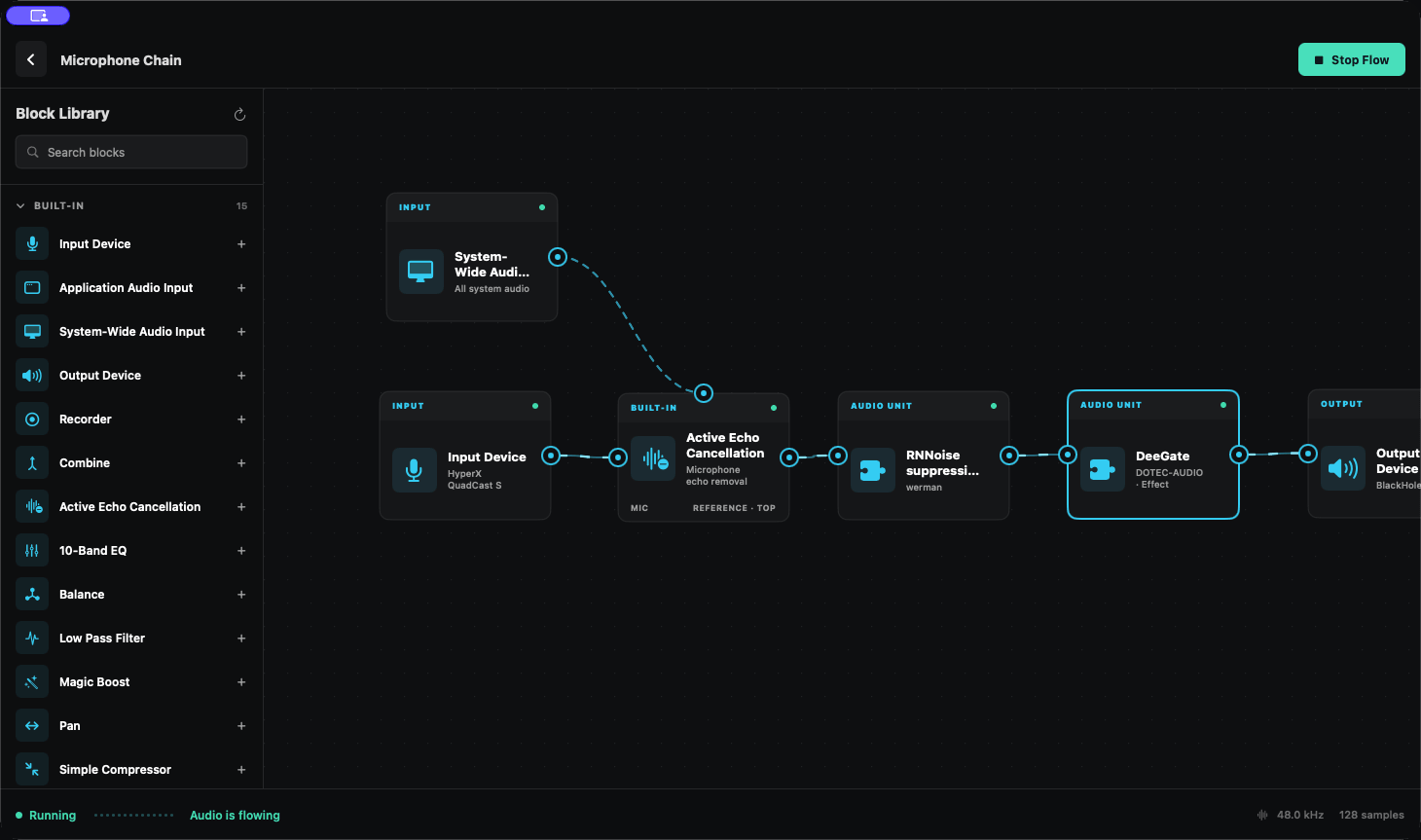
One graph. Every source, processor, and destination in view.
Visual routing
Your audio, as a graph.
Connect sources, processors, plug-ins, recorders, and outputs visually. Build a route once, see exactly where every signal goes, and change it without rewiring your entire macOS audio setup.
- 01
Capture
Microphone, application, or system-wide audio.
- 02
Process
Built-in tools, Audio Units, VST3, and active echo cancellation.
- 03
Send
Hardware outputs, multiple destinations, or WAV/CAF recording.
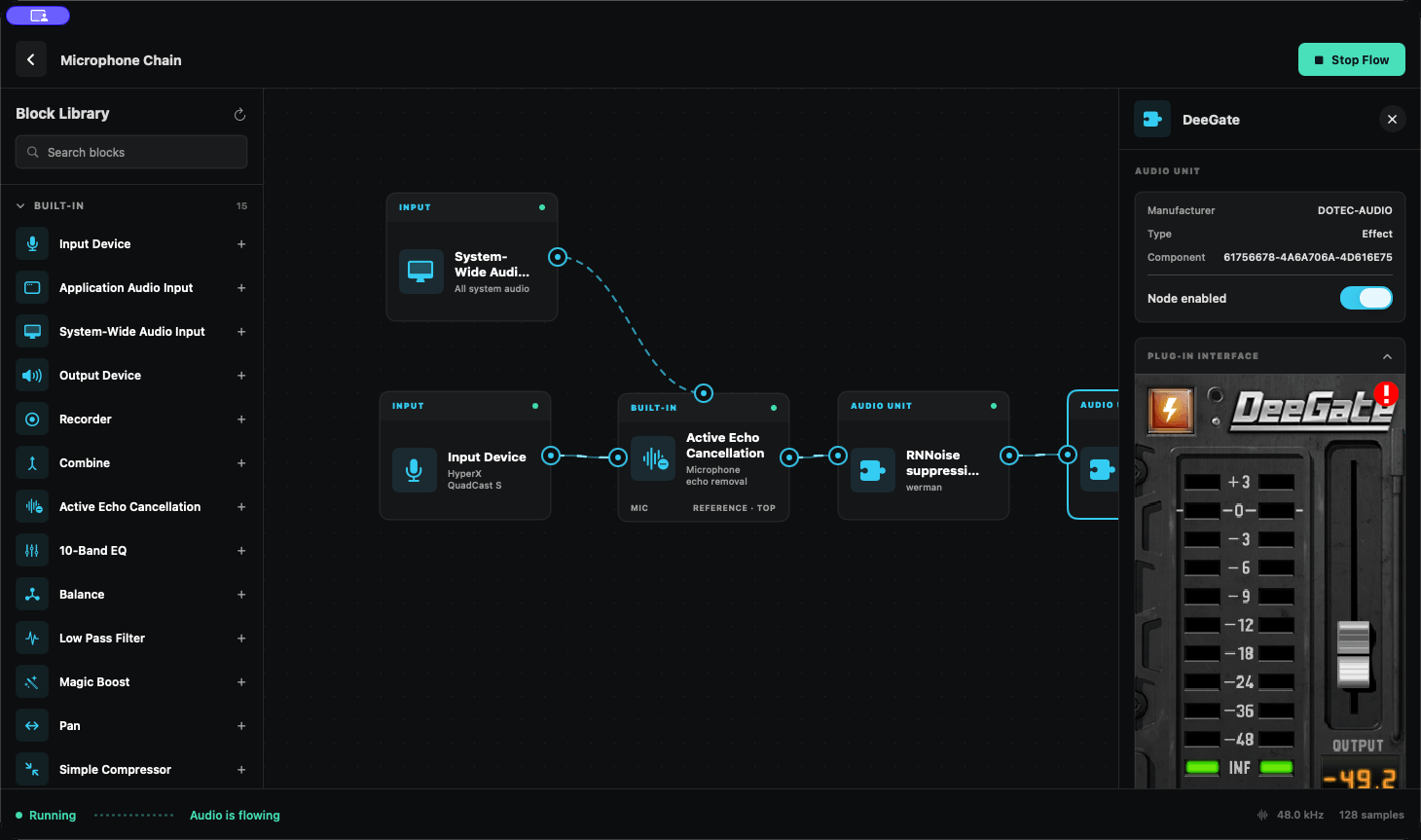
Compatible native editors open directly in the inspector.
Plug-in hosting
Use the plug-ins you already own.
Discover installed Audio Unit and VST3 effects, edit their parameters, and open compatible native plug-in interfaces directly inside SoundScape. Plug-in state is stored with the flow.
- Native plug-in editors
- Real-time processing
- Parameter control
- Persistent plug-in state
- Per-node bypass
Real-time audio
Built for live audio.
Reduce system playback captured by your microphone with WebRTC AEC3 and automatic delay alignment, then continue processing the cleaned signal through the rest of the graph.
Persistent flows
Set it once. Keep it running.
SoundScape stores flows locally and keeps active routes running when the dashboard is closed. Start or stop them from the main window or the menu bar.
- Local SQLite projects
- Persistent device and plug-in settings
- Automatic device reconnection
- Menu-bar controls
- Background operation
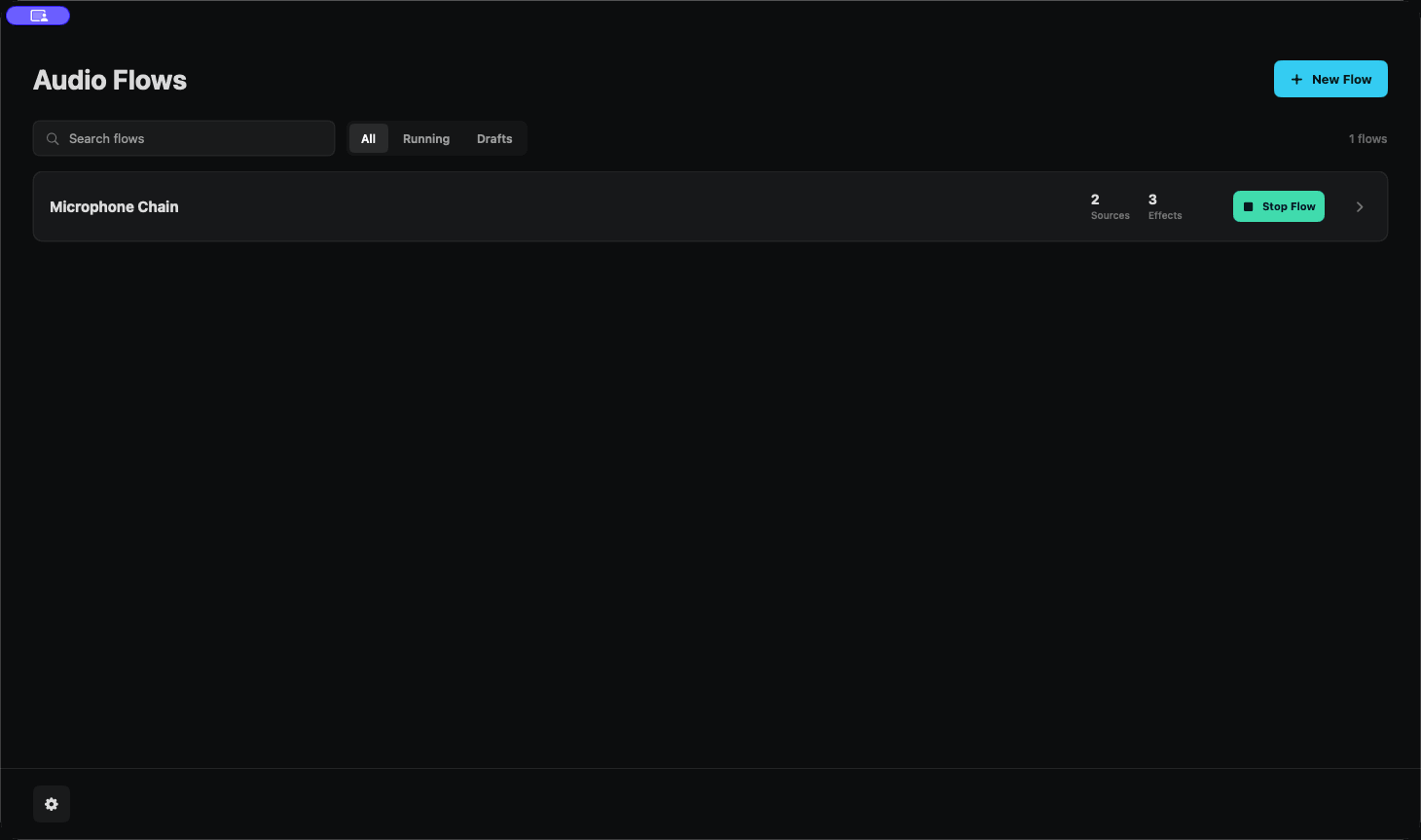
Active flows remain easy to find, start, and stop.
Open source
Own your audio stack.
SoundScape is free, MIT licensed, and developed in public. Inspect the code, build it yourself, report compatibility issues, or contribute a node.
Support on Ko-fiReady when you are